close
Choose Your Site
Global
Social Media
Views: 0 Author: Site Editor Publish Time: 2026-08-04 Origin: Site


Modern print jobs run very fast today. Direct-from-file Technology sends files directly. You skip heavy metal plates completely. You also skip long setups.
Key Takeaway: Dropping old plates cuts upfront costs. It delivers jobs fast!
You get quick perks for your business:
You pay no plate fees.
You get sharp, full-color details.
You waste fewer materials safely.
You print small orders easily. You can customize every page quickly. Designers and buyers save cash daily.
Table of Contents
Digital printing sends files to the printer.
It skips expensive metal plates.
It skips long setup times.
Digital methods work very fast.
Fast lights and heated rollers dry ink instantly.
Small orders under 2,500 copies save money.
They avoid high upfront plate fees.
Variable data printing lets you customize text.
You can change names and images fast.
You do this without stopping the press.
Flexible digital presses print bright graphics.
They print on paper and cardstock.
They print on plastic, wood, and fabric.
High-resolution artwork at 300 DPI is sharp.
CMYK color mode creates very accurate colors.
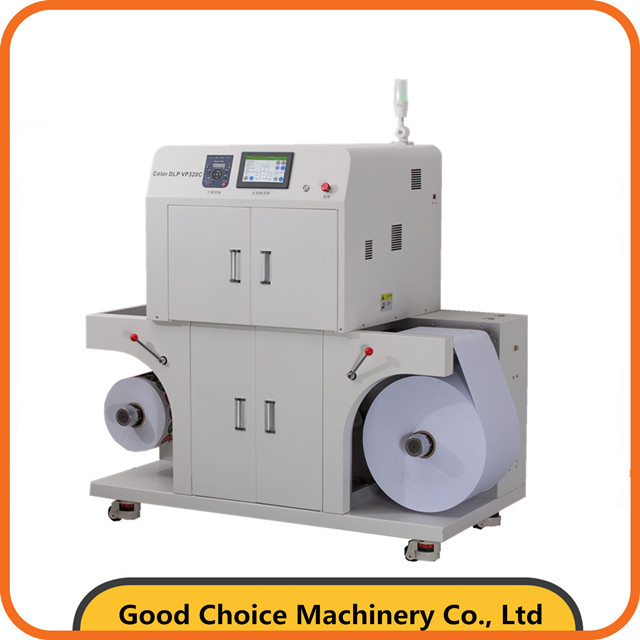
Digital Printing Technology changes image printing. You skip long setups. You get clean prints fast.
New digital gear works directly. It skips physical screens and plates. Machines read digital data. They place ink or toner. They mark pixels precisely. You send design files directly. You skip costly metal plates. You save money this way. You also reduce chemical waste.
Lasers use static charges. These charges move color particles. A laser draws on drums. Drums attract fine toner powder. The drum transfers powder. Heated rollers melt it. Your image sets permanently.
Note: Static power places fine toner. Heat fuses it fast.
Inkjet presses spray tiny drops. They spray moving sheets. You get quick speeds. Colors look very bright.
Major industrial press types include:
Web-Fed Digital Commercial Presses: HP PageWide Web Presses use inkjet technology. They handle books and mail. They print photos fast.
Corrugated Packaging Presses: HP PageWide Industrial Digital Presses use inkjet technology. They print big box orders.
Dry toner printers use powder. They create letters fast. They make business cards. They print short books. Text looks very sharp.
UV flatbeds print hard items. UV lights dry ink. Ink dries instantly.
Substrate | Typical Products |
|---|---|
Wood Boards | Signs and Art |
Acrylic Sheets | Display Signs |
Metal Plates | Metal Tags |
Dye-sublimation uses transfer paper. Heat presses paper onto polyester. Heat turns ink to gas. Gas enters fabric fibers. Fabrics stay fully washable.
Digital offset uses liquid ink. Rubber blankets press images. Machines place liquid electro-ink. Warm blankets transfer images. You get top quality. You make no plates.
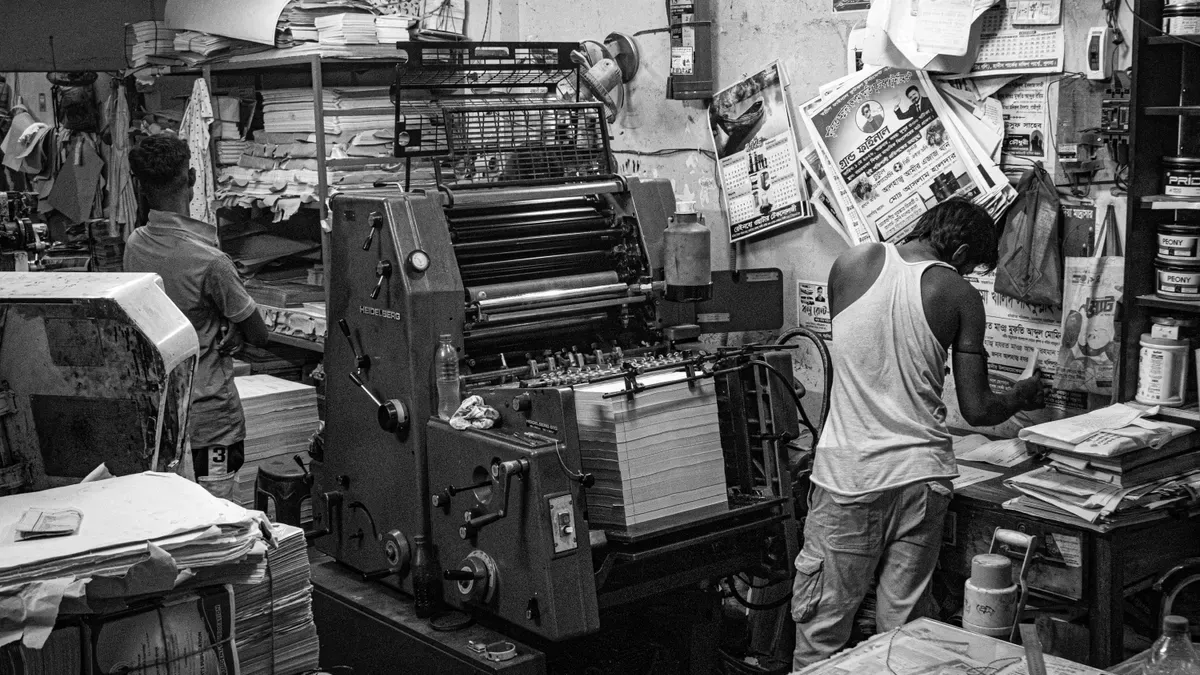
Clear facts help you pick great printing methods. Offset printing led manufacturing for many decades. Digital Printing Technology changes order processing completely. Comparing these options saves cash quickly. You meet tight deadlines easily.
Pre-press steps run your design fast. Physical setups take time.
Old printing uses custom aluminum plates. Techs make laser plates. They need new plates for every color. Operators mount heavy plates on cylinders. They clean equipment manually. They align cylinders carefully.
This hard setup wastes work time. You pay high plate fees. Design changes cost extra money. Small typos ruin metal plates. Techs burn new plates again.
Digital tools drop metal plates. You email artwork files fast. The computer reads data instantly. Machines start printing right away.
Workflow Feature | Digital Printing Press | Traditional Offset Press |
|---|---|---|
Setup & Prepress Steps | Direct file sending; zero plates needed. | Hard machine setups, plate making, extra fees. |
Makeready & Proofing | Fast setups and quick proofing. | Slow file checks and proofing. |
Setup Overhead Costs | Low starting setup fees. | High starting setup fees. |
You skip long setup hours. You save setup money. Early steps run faster.
Smart cost choices protect budgets. Print tools split costs differently. Volumes change overall prices.
Old offset presses cost more initially. Setup plates cost money. Manual press checks add fees. Unit costs drop on big runs. Digital units keep steady prices. They need zero plate work.
Quantity Range | Digital Printing Unit Cost Curve | Offset Printing Unit Cost Curve | Economic Advantage |
|---|---|---|---|
Low Volume (< 500–1,000 units) | Flat cost (Zero plate fees) | High unit cost (Driven by setup fees) | Digital Printing |
Break-Even Point (500–1,000 units) | Curves cross (~$1.50/unit) | Curves cross (Setups spread across units) | Equal / Transition Point |
High Volume (> 1,000 units) | Flat cost / High unit price | Unit cost drops low (Setups matter less) | Offset Printing |
Print numbers change savings:
Cost-Effective Threshold: Offset beats digital inkjet over 5,000 pieces.
Primary Benefits at High Volumes:
Low unit cost
Perfect for big orders
Great quality for massive jobs
Check these two clear order examples:
Print Scenario | Quantity | Digital Unit Cost (Total Cost) | Offset Effective Unit Cost (Total Cost) |
|---|---|---|---|
Small Test Run | 200 brochures | $1.50 per unit ($300 total) | $2.20 per unit ($400 setup + $40 print = $440 total) |
Full Scale Campaign | 5,000 brochures | $1.50 per unit ($7,500 total) | $0.28 per unit ($400 setup + $1,000 print = $1,400 total) |
Pro Tip: Pick digital tech under 1,000 items. Avoid high setup costs. Use offset presses over 5,000 items. Get low single-item rates.
Offset presses require manual mixing. Test sheets waste ink. Operators turn keys manually. Many paper sheets turn into waste.
Digital tools match colors automatically. Built-in readers check prints fast. Software tweaks color instantly. Sheet one gets great color. You waste no paper.
New ads need fast work. Digital gear makes physical items fast. Old methods run slower.
Old liquid inks dry slowly. Workers wait to cut sheets. Stacking wet paper smudges ink. This ruins your order. Digital presses use UV lights. Inks dry right away:
Immediate Post-Press Processing: UV inks dry under dryers. Finishing steps start right away.
Complete Ink & Coating Cure: Hybrid UV sets glossy coatings fast. Paper flips over for back printing.
Instant Sheet Drying: LED-UV lights dry paper fast. Finishing starts quickly.
Elimination of Waiting Time: Skipping dry times speeds deliveries. Jobs finish sooner.
You get final prints hours faster.
Offset sample proofs need full plates. Press setups cost a lot. Digital gear prints sample proofs fast. You print from computer screens. You check hard copies cheap. Approve designs fast. Launch sales on time.
Modern buyers want great visuals. Pages must look clean. Digital tools give total control. Color dots stay exact. You adjust images fast. You personalize every sheet.
Old systems make harsh lines. Dark shades look rough. Modern presses fix this. Inkjet heads spray tiny drops. Drops are very small. They beat human hair size. Presses change drop sizes. Skin tones look smooth. Gradients show zero lines.
Built-in systems check paper. Readers scan paper inside. Software reads exact colors. It fixes tiny shifts. You see no errors.
Digital offset uses liquid ink. Edges stay very sharp. Layers lie completely flat. Light reflects very evenly. Blacks look rich today. Colors stay very bright.
Colors match on every run. Future orders stay identical. Digital files save colors. You skip ink mixing. Logos look the same.
Tip: Always convert your artwork to CMYK color profiles before sending files. This simple step ensures accurate color recreation on physical paper.
Digital Printing Technology handles custom data. Old presses print same copies. Digital presses read databases fast. Names change on sheets. Addresses change on sheets. Photos change on sheets. Offers change on sheets.
Ads gain huge perks. You reach real people. Text stays unique today. Machines swap content fast. Presses never stop running.
Custom print speeds mailer results:
Adding basic elements like a recipient's name typically yields a 15% to 25% increase in response rates.
Tailoring content and offers deeply can double or triple response rates, frequently achieving 30% to 50%+ lifts.
The drop in wasted mailers combined with higher conversion from qualified leads offsets the higher per-piece printing costs, driving overall ROI.
You track results easily. Sheets get unique codes. Printers place custom QR codes. Mailers get personal links. Discounts print on sheets. You spot active scanners. You track cash returns.
Studies show print data strength:
Metric / Indicator | Non-Personalized / Static | Variable Data Printing (VDP) | Research Source |
|---|---|---|---|
General Response Rate | 2% | 6% (3x lift) | Association of National Advertisers |
Max Response Rate Lift | Baseline | Up to 135% higher | Keypoint Intelligence |
Specific Scenario Response | 1% – 2% | 6% – 8% | Mailing.com Benchmark |
Conversion Lift (5 vs 3 elements) | Baseline | 19.4% higher conversion rate | SG360 (2025) |
User Satisfaction / Impact | Baseline | 97% observe higher responses (56% report 'significantly higher') | Keypoint Intelligence (2024) |
Measurable ROI Tracking | 62% (non-automated) | 75% (automated/triggered direct mail) | CompereMedia (2024) |
Designers group target audiences. You print unique photos. Groups get different pictures. Pet stores target owners. Dogs go to dog lovers. Cats go to cat lovers. Presses print all versions fast. You save print time. You build strong connections.
Digital presses process unique materials. Standard paper is not mandatory. Modern machines handle flexible sheets easily. They also handle thick boards. They print synthetic films quickly.
Print designs on paper easily. Coated papers feature smooth gloss. They also feature matte finishes. Coatings keep ink on top. You get bright colors fast. You get sharp details too. Uncoated papers absorb liquid ink. Ink enters deep paper fibers. You get a soft texture. It works for book pages. It works for professional letterheads.
Thick materials protect your products. Heavy cardstock feels very sturdy. It makes great business cards. It creates postcard mailers too. Digital flatbed presses feed boards. They handle thick corrugated sheets. You skip manual paper pasting. Equipment prints boxes directly. Graphics look very vibrant.
Water ruins regular paper fast. Tears also ruin paper quickly. Synthetic materials resist moisture safely. They resist harsh weather conditions. Modern digital presses use coatings. Special treatments keep ink permanent:
Curious Collection (with i-Tone): Textured papers feature surface treatments. They lock toner on presses.
Chromolux: High-gloss paperboards deliver rich finishes. They show vivid color depth.
Specialized Synthetics: Durable films include PPG TESLIN TS. They include KernowPrint films. They include Ultra Digital Paper. They include FLEXcon outdoor products.
Sticky vinyl sheets feature backings. You make custom stickers easily. You make window decals fast. You create vehicle graphics quickly.
UV flatbed printers handle solids. Strong vacuum tables hold items. Heavy objects lie completely flat. Ink nozzles deposit color drops. They print on clear acrylic. They print on aluminum sheets. They print on wood panels. UV lights cure ink instantly. Ink drops freeze very fast. Drops do not spread out.
Digital printing expands beyond paper. Direct-to-garment systems spray water-based inks. They print on cotton fibers. Dye-sublimation printers use heat presses. Heat turns ink into gas. Gas fuses into polyester. Colorful fabric prints stay smooth. Prints never peel or crack.
Create professional sales tools quickly. Digital tech prints short runs. You get trifold brochures fast. You print product catalogs easily. You make letterhead sheets quickly. Update sales details anytime fast. You pay zero extra setup costs.
Shoppers love custom unboxing experiences. Packaging presses make folding cartons. They print shipping boxes fast. They produce custom product labels. You order small batches easily. Print unique box designs fast. Handle seasonal sales promotions easily. Manage multi-SKU product lines effortlessly.
Big visuals grab quick attention. Large format printers make banners. They create trade show displays. They produce wide wall graphics.
Tip: Pick durable outdoor vinyl and UV-resistant inks for display signs. Your outdoor signs will resist sun fading for years!
Custom apparel production runs fast. Digital tools speed up work. You print personalized t-shirts quickly. You make custom sports jerseys. You print patterned interior fabrics. Machines need no setup delays. Teams launch new fashion lines. They avoid unsold leftover items.
You need clear price ideas. Clear math helps your print budget. Digital Printing Technology gives easy price plans. You guess project costs well. You avoid surprise costs easily.
Operations change your final bill. Smart options save you money.
Ink and toner cost much money. Presses track ink coverage now. Simple text uses tiny toner. Big bright photos use much ink.
Gear setups change page costs. Modern tools check many items:
Operational Factor | Mechanism & Description | Cost Impact |
|---|---|---|
Cartridge Page Yield | Cartridges print many pages fast. | Large tanks lower page costs. |
Ink and Toner Chemistry | Ink types pick cheap dyes. | Dye inks save cash daily. |
Printer Technology & Energy Use | Lasers use lots of power. | High energy drives bills up. |
Paper Stock and Finish | Standard paper cuts single costs. | Thick cards raise piece rates. |
Print Volume Scale | Big jobs cut total costs. | Large runs drop unit costs. |
Maintenance & Overheads | Fixed setups need routine care. | Regular fixes add page costs. |
Fancy paper lifts page designs. Plastics and foils cost extra.
Special inks change material costs:
Cost Impact Factor | Details & Metrics | Impact on Total Production Cost |
|---|---|---|
Consumable Unit Price | Special inks cost extra cash. | Material base prices go up. |
Ink Consumption Volume | White ink takes triple layers. | Jobs use much more ink. |
System Maintenance | Thick ink needs fast flow. | Maintenance costs go up fast. |
Smart perks fit small budgets:
Integration Efficiency: Presses print dynamic CMYK colors. They add two shiny toners. Everything prints in one pass.
Cost Reduction: New digital toners save money. They cut slow manual work.
Short-Run Viability: Digital tools keep great perks. Small jobs stay very cheap. Turnarounds run fast. Data changes quickly.
Pages need work after printing. Finishing turns paper into items. Shops offer simple folding steps. Workers add complex die cuts.
Connected tools trim paper fast. Presses fold sheets without help. Extra steps move paper far. Manual work drives costs up. Labor takes much extra time.
Order sizes pick smart tools.
Tiny runs print exact counts. You pay zero storage fees.
Quantity Range | Cost Factor | Business Benefit |
|---|---|---|
10 to 100 copies | Zero setup fees | Low orders save cash |
Short test runs | Fixed item price | Safe tests limit risk |
Fast setups change media sales:
Inventory and Waste Reduction: Shops print actual order numbers. You skip big offset waste.
Operational Cost Savings: Easy setups use less energy. Total operational costs drop fast.
Fast print setups cut waste. Businesses keep cash safe today.
Digital tools print 2,500 copies. Old offset presses need plates. Long setups raise small costs. Digital gear drops all plates.
Key Rule: Orders under 2,500 units win. Digital tools print cheap fast!
Single prices stay very low. You pay for paper only. Toner and time cost less.
Brands make many unique items. Shops sell ten distinct scents. Plate presses charge new fees. Every product variation costs extra.
Digital gear groups order lines. Shops merge items on presses. Machines print all designs fast. The press treats run totals. You skip extra setup fees.
Smart project checks pick tools.
Tight deadlines need quick work. Digital files skip pre-press steps.
Decision Factor | Digital Printing | Traditional Printing |
|---|---|---|
Deadline / Turnaround | Fast tools fix tight schedules. | Big runs need extra time. |
Run Size / Volume | Digital wins small order runs. | Big jobs drop single prices. |
Customization | Data changes personalize every page. | Large jobs stay totally uniform. |
Offset setups take big cash. Heavy plates need manual work. Small runs bear big costs. Digital tech keeps entry cheap. You buy finished goods fast.
Same prints suit single groups. Fast markets need custom items. Digital gear prints unique text. Sheets get distinct codes fast. Offset presses stop for changes.
Good files stop print errors. Clean files save money.
Digital presses need accurate settings. Adjustments make sharp prints.
Screens display low resolutions. You need 300 DPI pictures.
Close-Range Viewing Benchmark: 300 DPI fits small flyers.
Ink Density and Image Clarity: More dots create sharp details.
Image Scaling: High resolutions stop blurry graphics.
Screens use RGB light profiles. Printers use CMYK inks. Convert your files to CMYK.
Large paper sheets get trimmed. Bleeds extend artwork past lines. Margins protect inner text. Marks guide cutting blades.
Standard files stop printer confusion.
Printers use PDF/X standards. PDF/X delivers resilient digital files. They ensure smooth processing. Prints meet quality standards.
Data Exchange Efficiency: The system moves art files fast.
Seamless Workflow Integration: Matching standards stop new errors.
Enhanced Communication: Standard files connect creators and print shops.
Cost and Time Reduction: Fast setups lower manufacturing costs.
Raster graphics use pixel grids. Pixels blur when enlarged. Vector graphics use math paths. You scale vector images easily. Combine vectors with raster photos.
Good print partners deliver quality fast.
Print providers buy modern digital presses. Check a provider's machinery fleet:
Checklist for Provider Selection:
Does the shop run high-speed digital web presses, UV flatbeds, and liquid electro-ink systems?
Can their equipment handle your specific substrate thickness and size requirements?
Diverse machinery matches jobs fast.
Great shops enforce quality checks. Shops use inline spectrophotometers daily. Techs check trimmed margins. Physical proofs confirm final colors.
Direct-from-file Digital Printing Technology changes production. You drop heavy metal plates. This saves cash fast. You get deliveries quickly. This process helps custom options. You get great prints always.
Benefit Category | Key Summary Data Points |
|---|---|
Cost Savings | No plates lower fees. Minimums end. Paper waste drops. |
Speed Benefits | Direct files print fast. Jobs finish same day. |
Pick this tech for small orders. It prints 2,500 units well. It helps multi-SKU lines.
Tip: Always check artwork files before printing!
Review file details carefully today. Look for 300 DPI resolution. Use CMYK color modes. Call your print partner now. Pick the best substrates together.
Digital printing skips physical plates completely. This process saves you money fast. It works well on small orders. You also get faster job times. You update design files very easily.
Optimal Quantity: Digital printing suits small orders. It works up to 2,500 copies. You avoid upfront setup fees easily. Traditional offset printing cuts single prices. It beats digital on 5,000 units.
Yes! Digital Printing Technology updates pages fast. You change names and text easily. You swap photos on every piece. The press keeps running constantly. It never stops or slows down.
Prepare your design files carefully:
Resolution: 300 DPI minimum
Color Mode: CMYK profile
Format: Print-ready PDF/X
This setup guarantees sharp picture details. You get accurate colors on paper.
You can print on many items:
Cardstock and corrugated board
Synthetic vinyl and sticky films
Rigid acrylic, metal, and wood
Polyester and cotton fabrics
Fast Curing: Modern digital presses use UV lights.
UV lights dry liquid inks instantly. Heated rollers melt dry toner fast. Toner sticks to sheets permanently. You trim and package items immediately.