close
Choose Your Site
Global
Social Media
Views: 0 Author: Site Editor Publish Time: 2026-08-04 Origin: Site


Pick a printing method based on size, speed, look, and budget. Flexography works best for huge jobs with cheap single item prices. Digital Printing is great for small jobs and quick work with no setup cost. Offset lithography gives the best picture detail on flat paper sheets.
Printing Process | Global Market Share (by Volume, 2023) |
|---|---|
Flexography | 39.6% |
Offset Lithography | 28.1% |
Digital Print | 6.4% |
Judge each method by key daily work rules. Check machine setups, job sizes, run speeds, material uses, starting costs, extra unit costs, and skill limits.
Table of Contents
Flexo prints big label orders fast.
It lowers prices on huge runs.
Digital printing has no plate costs.
It makes small custom jobs faster.
Offset gives the best picture detail.
It makes smooth colors on paper.
Digital and flexo cost the same.
This happens around 10,000 labels.
UV inks protect labels from water.
Protective topcoats stop chemical damage too.
Pick your method by order size.
Think about budget and label material.
Consider your detail needs as well.
Choose from three main choices for label production. Each method moves ink in different ways. These methods change your costs and speeds. They also change the final print quality.
This simple table shows key details for each printer:
Parameter | Flexography | Offset Lithography | Digital Printing |
|---|---|---|---|
Printing Speed | Fast (Over 600 m/min with UV/LED) | Fast (Many thousands of prints each hour) | Slow to medium speeds |
Run Volume | Large to very large | Medium to large | Small to medium |
Cost Structure | High setup cost / Very low unit cost | Medium setup cost / Low unit cost | Zero plate cost / Higher per-unit cost |
Setup Time | Long (Takes hours) | Medium (1 to 2 hours) | Short (Takes minutes) |
Image Resolution | Sharp (HD screening technology) | Great detail and clarity | Clear (High DPI capability) |
Machine parts make these three systems different. Flexography puts ink right onto materials with bendy plates. Modern flexographic presses run faster than 600 meters per minute. You must use UV or LED curing tools for this. Still, setting up flexo plates takes many hours.
Offset lithography uses flat metal plates. The offset press puts wet ink on a rubber roll. This roll then presses pictures onto flat paper sheets. Offset printing gives great picture details. It uses very precise plates and smooth ink moves.
Digital Printing uses no real plates at all. Digital presses read computer design files directly. They put small ink dots right onto your materials. You save time because zero plates means quick setups.
Your total item count changes your final costs. Setup fees make small jobs on old presses expensive. Flexography and offset systems need big start-up costs. You must buy plates, chemical liquids, and alignment tools. These old presses waste paper while balancing the ink colors. Big jobs quickly lower these early setup costs. Flexo gives the lowest unit cost for big runs. Web-fed offset systems print many thousands of sheets hourly.
Digital printing changes this cost setup completely. You avoid all plate costs and setup fees. But you pay a set price for every print. High unit prices make digital printing bad for huge jobs. You find a price tie around a few thousand feet. Pick digital printing for small jobs with many designs. Switch your big jobs to flexography for lower prices.
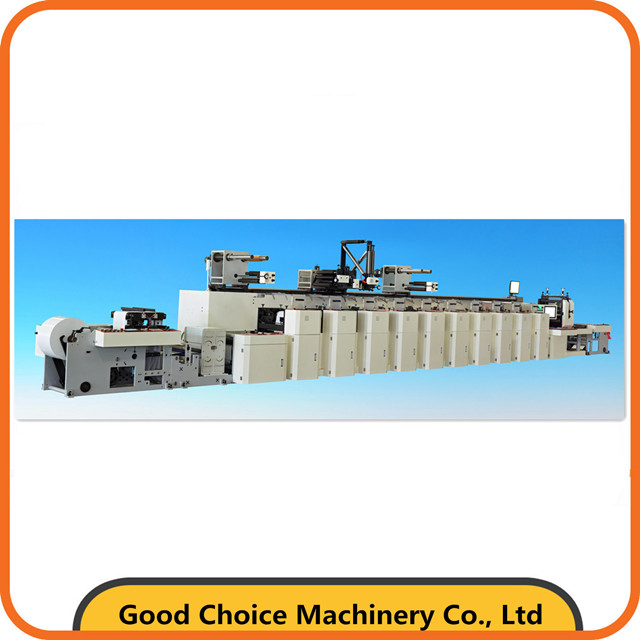
Flexo printing builds big packaging orders fast. You use this system for quick work. It handles many types of materials well. Large machines run without stopping at all. They turn big blank rolls into labels.
Flexo moves thin ink onto moving items. Flexible soft rubber or plastic plates do this. These flexo plates ride on spinning rolls.
You get clear prints from four quick steps:
Ink Fluidity & Dosing: Thin, quick-dry ink fills an anilox roll. A small metal blade wipes excess ink away. This keeps ink amounts very even everywhere.
Transfer to Plate: The measured ink covers raised plate areas. These bendy plates sit on spinning cylinders.
Impression & Image Transfer: Paper runs through two big metal cylinders. These cylinders squeeze ink onto the paper nicely.
Rapid Curing for Speed: Built-in dryers freeze the wet ink instantly. They use UV light or hot air. This stops all wet ink smudges completely.
Flexo tools cut labels on one machine. You can add shiny foils and clear film. These tools work right after ink dryers. Sharp steel dies cut out exact shapes. They do this at top press speeds. Machines strip off extra trash paper right away. Fully cut label rolls leave the machine ready.
Long paper rolls keep machines moving fast. Workers never stop machines for new paper. Flexo machines give great results for plain runs.
Unchanging label designs show flexo's true power. You set plates once for huge jobs. Then you make millions of identical labels. Long paper rolls lower total labor costs.
Real shop data shows key printing speeds. Flexo presses average 350 feet per minute. That equals four miles of paper hourly. Regular press setups go much faster still:
Press Type | Speed Range (Meters/Min) | Speed Range (Feet/Min) |
|---|---|---|
Standard Narrow Web Press | 150 - 300 m/min | 500 - 1000 ft/min |
Flexo presses print on most soft rolls. These sturdy parts print soft thin plastic. They print thick paper box sheets too.
Flexo runs plain paper, clear plastic, and foils:
Substrate Category | Substrate Material | Compatible Ink Systems | Requirements / Notes |
|---|---|---|---|
Paper Substrates | Coated paper, Matte silver paper, Ordinary paper labels | Water-based Ink, UV Ink | Water inks work great here. UV inks stick extra tight. |
Film Substrates | PET, PP, PE, BOPP, Laser film | UV Ink (Universal), Water-based Ink | UV needs no extra prep work. Water ink needs pre-coated film. |
Synthetic Substrates | Synthetic paper | UV Ink, Water-based Ink | Water ink sticks poorly here. You must treat paper tops first. |
Pick ink types made for your paper:
UV Flexo Inks: Synthetic paper uses UV ink best. It blocks water damage on cold freezer items.
Water-Based Flexo Inks: Water ink works with coated paper. Use it to cut bad factory fumes. Avoid it for heavy wet jobs.
Tip: Pick UV ink for tough jobs. It stops chemical spills, deep scratches, and sun damage.
Flexography has a clear price setup. Initial tool costs run high. Big orders lower your unit prices.
Buy physical tools before printing starts. Each color needs its own plate. Four colors require four plates. Custom shapes need special steel dies.
Photopolymer Plate Charges: Plates cost $100 to $300 each color.
Rotary Cutting Dies: Dies cost $300 to $1,000.
Design Changes: New art needs brand-new plates.
Tool costs raise entry fees. Save extra money for initial tooling.
Prices drop fast after press setups. Machines run fast with cheap materials.
Key Financial Rule: Long runs lower item costs. Big orders spread out fixed plate fees.
Machines use big rolls well. Liquid ink costs less than toner. Big jobs give tiny unit costs.
Flexo prints long runs fast. Some jobs face real physical limits.
Setups take time and hard work. Workers stick plates onto cylinders by hand. They line up each color station carefully.
Press Setup Workflow:
Mount Plates ➔ Register Colors ➔ Adjust Anilox Ink Flow ➔ Calibrate Die Cuts
Setups waste real materials. Machines burn paper while setting ink colors. Long setups prevent same-day jobs.
Soft plates press ink onto paper. They squash slightly under big pressure. This squishing limits tiny graphic details.
Flexo detail cannot beat offset. Metal plates print smaller ink dots.
Printing Method | Typical Resolution Limit (Lines Per Inch) |
|---|---|
Flexographic Printing | 65 - 133 LPI |
Offset Lithography | 150 - 300+ LPI |
Small artwork loses sharp edges. Tiny text gets blurry here. Pick other options for detailed art.
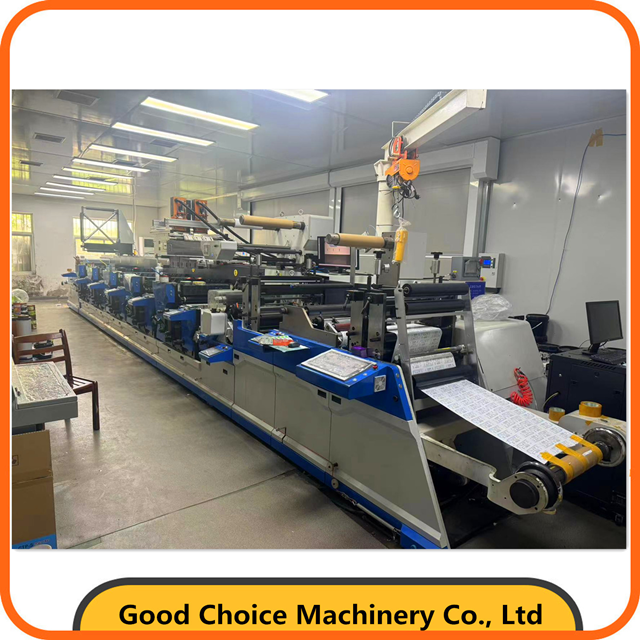
Offset lithography gives print clarity for labels. It uses flat metal surfaces and water. These tools help guide the ink. This method prints sharp art on flat paper.
Offset printing keeps oil and water apart. You use water liquids and oil-based inks. These tools help control all image details.
You start with a flat metal plate. It sits on a spinning top roll. Water rolls and ink rolls touch it. The plate uses chemical rules to guide ink:
Surface Region | Applied Solution | Chemical Reaction/Behavior | Resulting Function |
|---|---|---|---|
Image Area | Ink (Oil-based) | Attracts oil-based ink | Holds the image to be printed |
Non-Printing Area | Fountain Solution (Water-based) | Repels oil / Attracts water film | Remains completely ink-free |
The metal plate skips direct paper contact. The spinning roll pushes ink onto rubber. This soft rubber roll fits rough paper. It puts wet ink down very smoothly.
Offset machines use thick oil-based inks. These rich inks make bright colors. You get full ink cover without lines.
Note: Modern presses also use UV-curable offset inks. UV lights dry ink fast for quick jobs.
Offset printing gives sharp graphic details. It works well for hard label designs.
Flat plates keep their shape under pressure. You print small text and sharp logos easily. Thin lines stay sharp without wet smudges.
Offset printing makes soft color moves. You avoid bad harsh steps in color fades:
High Line Screens: Presses run up to 300 LPI.
Microscopic Dots: Tiny dots mix for real picture looks.
Offset systems use flat paper sheets. They work differently than continuous long rolls.
Offset presses print single paper sheets. Metal clamps pull each paper sheet quickly. You get exact color math on every sheet.
Sheetfed label jobs need extra work steps. You cannot cut custom shapes right away. You must move paper piles to offline cutters.
Offset lithography prices change with your order size. You must compare early setup fees against long runs. This helps you control your printing budget well.
Offset printing costs more to start than digital printing. You must buy aluminum plates before printing labels. Operators spend time setting up plates and water.
Review normal setup costs for offset jobs below:
Expense Category | Cost / Resource Requirement |
|---|---|
Individual Printing Plate | $25 to $45 per plate |
Four-Color Plate Set | $100 to $180 total |
Makeready Paper Consumption | 1,500 to 3,000 sheets |
Makeready Press Time | 30 to 90 minutes |
Total Setup Overhead (Commercial) | $400 to $900 per job |
These setup fees hurt tiny label orders. You waste lots of paper balancing wet ink.
Offset lithography saves money on big jobs. Unit costs drop fast on medium orders. Fast presses print thousands of labels every hour.
You split fixed plate costs across all labels. A big order absorbs setup fees easily. Label costs become very cheap at high volumes. You make more profit buying large orders regularly.
Offset printing gives great image detail. Still, you face real physical limits with it.
Offset presses use clamps to move paper. These parts create hard material limits. You cannot run thick board or heavy plastic.
Thick paper jams press feeds easily. Soft plastic films tear under press rollers. You must pick regular paper or thin plastic. Check paper thickness specs before printing labels.
Standard oil inks dry slowly over time. Fresh ink stays wet for many hours.
Caution: Heavy paper stacks trap wet ink. You risk bad ink smears on wet sheets.
Wait two days before cutting label sheets. You can also pick fast UV offset inks. Old oil inks delay your final label cutting.
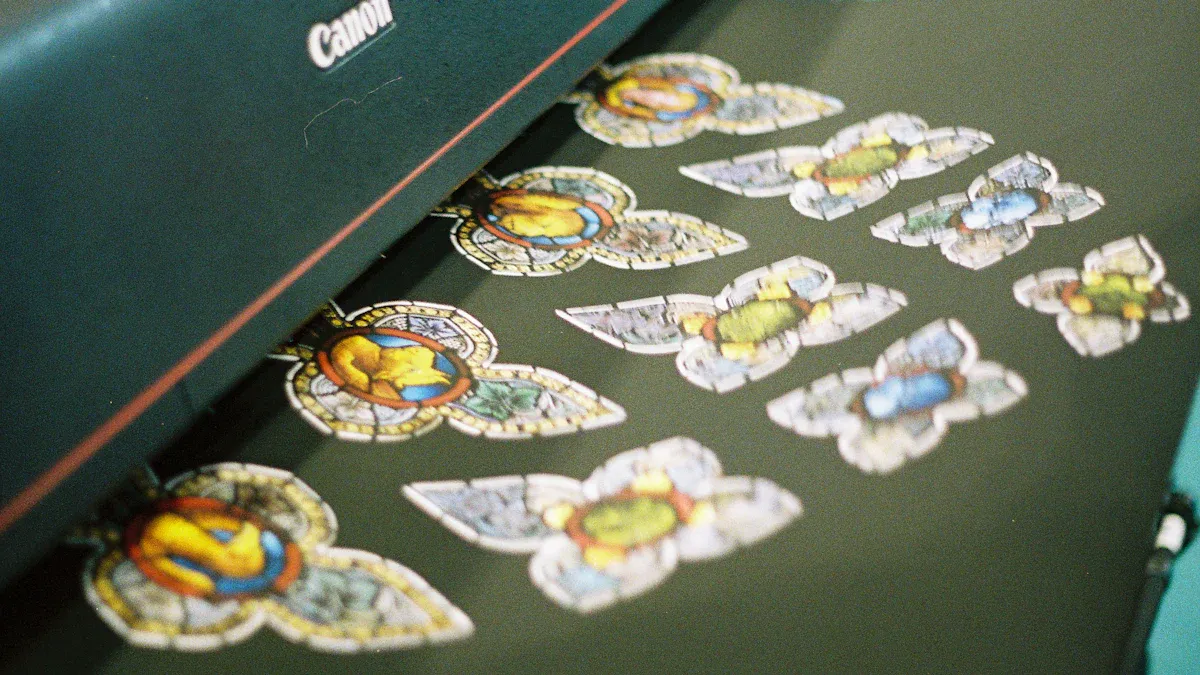
You can speed up label work using new presses. New digital tools skip physical tools. This gives you great supply chain choices.
Digital tools move ink onto paper without plates. Two liquid and powder methods lead this work.
Liquid tools use charged wet toner dots. A hot rubber roll moves art onto paper. This acts like offset to give soft graphics. Dry toner uses fine powder melted onto paper.
Inkjet heads shoot small ink drops on rolls. Water inks sink into plain paper well. UV inkjet systems use lamps. These lights freeze wet ink into hard layers.
Mechanism Stage | Liquid Electrophotography (LEP) | UV Inkjet Printing |
|---|---|---|
Image Formation & Transfer | Charges a plate first. Then it moves ink through a hot roll. | Jets ink drops on paper using computer tools. |
Inking & Setting Process | Draws charged wet ink to key plate spots. | Changes art into dots. Drops ink on paper. |
Curing / Finishing | Uses hot heat to stick ink down tight. | Uses UV lamps to dry ink fast. |
Digital Printing cuts long press setups completely. You send computer art to presses in minutes.
You skip setup fees without real plates. You buy small jobs at low prices easily.
Metric | Traditional Flexo Printing | Digital Printing (No Plates) | Savings / Impact |
|---|---|---|---|
Prepress Lead Time | Takes days to make plates | Prints hours after art checks | Saves days of prep time |
Setup Material Waste | Wastes long paper setting colors | Needs very little test paper | Cuts extra paper waste fast |
You change text and codes on each label. Press tools update art data while running fast. You print special tracking codes across one run.
Digital presses print on paper and plastic films. Some items need extra steps to stick ink well.
Bare plastic films and metals repel wet ink. Plain surfaces cause ink smears or peeling during use.
You add special wet coatings to fix surface issues.
Treatment Type | Application Timing | Primary Functional Purpose |
|---|---|---|
Surface Primer | Put on before ink drops | Builds a strong chemical bond on plain surfaces |
Clear Topcoat | Put on after ink drops | Creates a shield against scratches and sun light |
Primers help ink stick to clear plastic. Topcoats shield printed art from bad spills and scratches.
markdown
Combine old print speeds with new digital tools easily. Hybrid setups mix both ways into one strong press process. Print hard label jobs fast with top picture quality.
Hybrid presses put old flexo parts next to digital tools. Apply thick white bases or shiny inks using flexo stations. The digital press then prints changing art right on top. This smart system cuts total job costs for hard art.
Get several good work perks from this mixed system:
Streamlined Inline Workflow: Print fixed backs, add changing digital text, and add shiny tops once. One quick pass cuts extra steps and stops paper waste.
Optimized Setup and Changeover: Leave fixed parts on flexo stations while digital tools change designs. Operators avoid long press breaks when changing label designs.
Cost Efficiency for Varied Runs: Move costly big-cover inks to cheap flexo units. Save digital tools just for changing art parts.
Rapid Turnaround: Fast production speeds up custom label orders. Ship many different product types to shops much faster.
Hybrid tools complete labels on one single press line. Add shiny foils, cover thin films, and cut shapes quickly. Save lots of shop floor space with one machine. Stop moving paper piles to separate cutting tools by hand.
Know real tool prices to pick the best press option.
Digital press setups skip hard plates and tricky color math. Save hundreds of dollars on early tool fees per job. Test five label designs at once without extra plate fees.
Digital press companies charge fees for every printed foot or page. Print workers call this fee a click rate.
Cost Tip: The click rate pays for ink, machine care, and parts. Your base print price stays flat for any job size.
Cost Component | Digital Printing | Traditional Flexo |
|---|---|---|
Initial Tooling Fee | $0 | $400 - $1,200 |
Setup Labor Cost | Very Low | High |
Per-Unit Material Cost | Constant | Decreases with volume |
Digital tools give great choices, but hard limits still stay.
Digital Printing charges fixed click rates for every single label. Big static jobs become way too costly over time. Cheap flexo plate fees beat digital click rates over 10,000 feet.
Digital tools build special colors using four to seven ink channels. Bright neon colors or shiny metallic tones miss digital color ranges. Check close color test prints before starting big jobs.
Check your daily job needs first. Pick tools by run size, stock strength, and job speed.
Your total item count picks your best press tool.
Digital tools skip plate costs. Flexo gives low unit prices on big jobs. Both options meet at a clear price point:
Normal Price Tie: Digital and flexo prices match at 10,000 to 15,000 labels.
Low Price Point: Flexo lowers unit costs over 10,000 to 15,000 labels.
Middle Run Range (5,000–50,000 items): Flexo saves cash past 15,000 labels for simple art. Digital stays cheap up to 40,000 labels for hard art.
Modern brands sell many product types. Combine short runs into one digital press job. Digital tools swap art files without plate changes. You save thousands of dollars on setup fees.
Label paper must survive tough real-world use.
Bad chemicals and rough rubs ruin plain art. This chart shows how ink and covers save your art:
Part Used | Power Against Bad Chemical Spills | Power Against Sun Light and Weather |
|---|---|---|
UV-Cured Inks | Tight ink links block bad chemical damage well | Stops color fading, wet damage, and bad weather |
Clear Film Covers | Acts like a shield to block chemical spills | Prevents UV fade damage and physical scuff marks |
Adding clear cover film builds a tough surface shield. It stops chemical spills, hard scuffs, and sun rays. This top layer keeps outdoor labels looking fresh longer.
Fast supply needs dictate your print choices.
Digital press tools let you order labels fast. You skip big print storage and avoid old label trash. Look at normal wait times for both print options below:
Job Type or Phase | Old Print Wait Time | Fast Digital Wait Time |
|---|---|---|
Regular Label Reorders | 5 to 14 days | Drops fast using custom order tools |
New Item Drops | 3 to 6 weeks (Wait for plates) | 2 to 5 days (Uses dynamic data prints) |
Test Print Runs | 2 to 4 weeks for plates (6–9 weeks total) | Same-day test prints (2–3 weeks total time) |
Test new art in shops without big setup risks. Digital tools print real test labels in hours. Gather buyer feedback, fix art fast, and sell new items.
Pick a print way for your shop goals. Each tool gives clear perks for order sizes. They fit different art details and job speeds.
Flexo runs fast for non-stop shop work. Big orders of identical labels save lots of cash.
Fast store goods need non-stop big print jobs. Flexo printing fits big store label jobs well:
Adaptability & Speed: Changes art fast while printing big orders quickly.
Consistency: Keeps print quality steady for big food packs.
Cost Efficiency: Long-lasting photopolymer plates and ink anilox rollers cut ink use. They lower unit label costs on long runs.
Operational Efficiency: Fast printing and drying keep big jobs steady.
Unchanging label designs give the lowest item cost. Flexo presses run fast with tiny stop times. You cover early setup costs across millions of labels.
Offset lithography gives top picture detail for art. It prints clear details on flat paper sheets.
Fancy brands need bright colors and crisp lines. Offset printing makes smooth color moves on rough paper. Top drinks and beauty items use this visual detail.
Offset presses handle soft paper sheets very well. You print hard art on special paper sheets. Pick offset when your job needs exact colors.
Digital Printing changes supply paths by removing plates. You get full freedom for special short jobs.
Digital presses lead short jobs and seasonal sales. See the main work perks below:
Advantage | Description |
|---|---|
Elimination of Setup Costs | Digital printing uses zero plates to save money. |
Accelerated Market Delivery | Skips prep steps to print approved art fast. |
Premium Customization | Adds shiny foils and custom shapes to small jobs. |
Group different products onto one single paper roll. Combined with quick shape cutting, this workflow saves time.
Launch new store items fast using quick digital steps:
Direct-from-File Printing: Sends digital files right to presses for easy changes.
Multi-SKU Aggregation: Combines different product types into one single press run.
Tip: Order exact label counts to stop paper waste.
Match your label printing method to your goals. Digital Printing offers speed and no plate fees. It works great for small jobs. Flexography gives high speeds for huge orders. It also saves you lots of money. Offset printing shows the best picture detail. It fits flat paper sheets best.
Decision Framework: Use these five rules to pick your press:
Production Volume & Run Length: Count total items to check tool fees.
Material & Substrate Compatibility: Make sure your paper works on the press.
Print Quality & Graphic Detail: Check your picture art and small text needs.
Setup Costs & Speed: Check your setup budget and job deadline.
Flexibility & Customization: Check your need for quick design changes.
Digital printing needs zero photopolymer plates. Small jobs cost much less. Flexography needs costly photopolymer plates. Yet, low unit ink costs save cash on big runs.
Offset lithography gives top picture detail. It also makes soft color moves. It prints 300 LPI easily. Small text looks very sharp on paper.
Switch your job when you hit the price tie point. This change happens around 10,000 to 15,000 labels. Use it for one single fixed design.
Tip: Modern mixed tools fix this limit easily!
Yes! Mixed systems pair digital tools with old press parts. Put shiny metallic foils on paper fast. Add thick white inks and cut shapes in one pass.
Smooth plastic films repel wet ink types easily. Apply wet chemical primers on paper tops first. You can also use UV inks to stop bad scratches.
Change text and tracking codes on each label easily. Print clear codes on single boxes fast. Track items easily without stopping the press at all.